Add Receipt OCR to Your v0 App in 5 Minutes
v0 scaffolds your React UI. StructOCR reads the receipts. Here's the exact prompt and API call to wire them together — zero backend required.
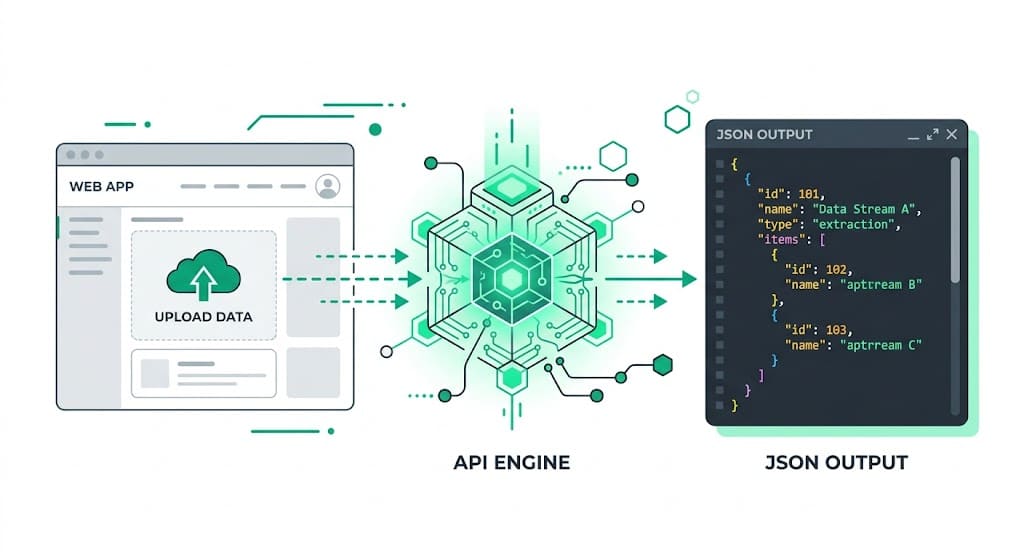
Why v0 + StructOCR is a natural fit
v0 generates beautiful, accessible React interfaces using Tailwind CSS and shadcn/ui directly from plain English. It handles the frontend components perfectly — but document parsing is still something you have to wire up yourself. StructOCR fills exactly that gap: one API call, structured JSON back. Tell v0 what you want, paste in the fetch code below, and you're done.
The problem: AI builders don't read crumpled receipts
Tools like v0 are remarkable at generating UIs instantly — but they stop at the file boundary. You can build a beautiful expense upload interface in minutes, yet the actual extraction of merchant names, purchased items, taxes, and totals from faded thermal paper requires a dedicated Receipt OCR API. Most teams either skip this feature or spend days trying to force a general-purpose vision model to format line items correctly.
The solution: one API call, structured JSON
StructOCR's /v1/receipt endpoint accepts a photo and returns a clean JSON object with every field pre-labeled — no prompting, no parsing, no post-processing. Because it speaks plain HTTP, v0 can wire it up from a single fetch call without heavy backend dependencies.
Integrate StructOCR in v0 (3 Steps)
Create a v0 project and describe your app
Open v0.dev and start a new prompt. Describe the app you want to build — be specific about the receipt fields you need.
Try this prompt: "Build a receipt scanner UI using shadcn. Users can upload a photo of a receipt and see the merchant name, date, time, and total amount extracted automatically in a clean card."Tell v0 to call the StructOCR API
Once v0 scaffolds the UI, paste the follow-up prompt below. v0 will update the React code to handle the file upload and wire the API response to your UI components.
Follow-up prompt: "When a user uploads an image, Base64-encode it and send JSON { img: base64Image } to POST https://api.structocr.com/v1/receipt. Set x-api-key to my API key and Content-Type to application/json. Make the call from a server route so the API key is never exposed, then display the current response fields in the results panel."const base64Image = await fileToBase64(file); const response = await fetch('https://api.structocr.com/v1/receipt', { method: 'POST', headers: { 'x-api-key': process.env.STRUCTOCR_KEY, 'Content-Type': 'application/json', }, body: JSON.stringify({ img: base64Image }), });Add your StructOCR API key
When you export your v0 project to a Next.js codebase or deploy to Vercel, simply add your StructOCR key to your .env.local file or Vercel Environment Variables.
Variable name: STRUCTOCR_KEY — keep it server-side and get your free key at structocr.com/dashboardSTRUCTOCR_KEY=sk_live_xxxxxxxxxxxxxxxx
What you can build in v0 with this integration
- Corporate expense tracker: Let employees snap photos of their lunch or travel receipts and automatically populate a reimbursement tracker. Perfect for building custom expense management automation workflows.
- Loyalty & rewards scanning: Build a consumer app where users upload grocery receipts to prove purchase of specific brands and earn reward points automatically.
- Personal budgeting dashboard: Create a financial tool that reads your daily coffee and retail receipts, categorizes the spending, and calculates monthly totals — all inside v0.
- Tax preparation assistant: Parse hundreds of receipts to separate tax amounts and deductible expenses without manual data entry.
The prompt and the code
Copy the follow-up prompt into your v0 chat to generate the integration. The code block shows what v0 typically produces — useful if you want to verify or tweak it. The Receipt API has been upgraded and the endpoint remains unchanged; standard mode costs 1 credit, and `?accuracy=enhanced` costs 2 credits. Run this integration in a server route or server action so the API key is not shipped to the browser.
Prerequisite: A free StructOCR account — get your API key at structocr.com/dashboard (no credit card required)
I need to add receipt OCR to this app.

When a user uploads an image:
1. Convert the image to a Base64 string.
2. Send JSON { img: base64Image } to: POST https://api.structocr.com/v1/receipt
3. Include x-api-key: ${STRUCTOCR_KEY} and Content-Type: application/json.
4. Read the current response fields: response_version, merchant_name, date, time, total_amount, tax_amount, currency, items[], status, issues, confidence, is_valid, and validation_error.
5. Display the fields, show a loading state, and handle non-2xx errors.

Make the API call from a server route or server action and keep the API key in the server-side STRUCTOCR_KEY environment variable. Standard mode costs 1 credit; use ?accuracy=enhanced for enhanced processing at 2 credits.
What the API returns
Every field is labeled and typed. Your v0 React components can bind this directly to the UI without any transformation.
{
  "success": true,
  "data": {
    "response_version": 2,
    "is_valid": true,
    "confidence": "high",
    "merchant_name": "Blue Bottle Coffee",
    "date": "2026-04-22",
    "time": "08:45 AM",
    "currency": "USD",
    "total_amount": 14.5,
    "tax_amount": 1.25,
    "items": [
      {
        "name": "Caffe Latte - Large",
        "quantity": 2,
        "price": "11.00"
      },
      {
        "name": "Butter Croissant",
        "quantity": 1,
        "price": "3.50"
      }
    ],
    "validation_error": null,
    "status": "complete",
    "issues": []
  }
}
Technical Specs
- Formats accepted: PNG, JPG, WEBP — optimized for smartphone photos
- Response time: typically 1–2 seconds per receipt
- Condition handling: robust against crumpled paper, low lighting, and faded thermal ink
- Max file size: 20 MB per request
- Data validation: built-in checks to ensure total amounts match line-item sums
Key Features
- Structured output: every field is named and typed — no regex required
- Line items: individual products, quantities, and prices extracted as a clean array
- Tax and totals: separate `tax_amount` and `total_amount` fields, with unknown values returned as null
- Merchant detection: automatically identifies the store or restaurant name
- Global currencies: recognizes symbols and formats for USD, EUR, GBP, JPY, and more
Live Demo: Receipt scanner
No registration required. Upload a file to test the extraction.
Drop files here or click to browse
JPG · PNG · PDF · TIFF · up to 500 files · max 4.5 MB each
No document handy?
Frequently Asked Questions
Does StructOCR work inside a v0 app?
Where should I store the StructOCR API key in v0?
Can it read crumpled or faded receipts?
How accurate is the receipt extraction?
Is there a free tier to test with?
Can I use this with Lovable, Bolt.new, or Replit instead of v0?
More Tutorials
Add Container OCR to Your v0 App in 5 Minutes
Step-by-step guide to integrating the StructOCR shipping container API into a v0 by Vercel app. Build logistics and yard management tools with zero backend.
Add Driver's License OCR to Your v0 App in 5 Minutes
Step-by-step guide to integrating the StructOCR Driver's License scanner API into a v0 by Vercel app. Build car rental and mobility onboarding flows with zero backend.
Add HIN OCR to Your v0 App in 5 Minutes
Step-by-step guide to integrating the StructOCR HIN (Hull Identification Number) scanner API into a v0 by Vercel app. Build marine and boat management tools with zero backend.
Add Invoice OCR to Your v0 App in 5 Minutes
Step-by-step guide to integrating the StructOCR invoice API into a v0 by Vercel app. Build accounts payable and expense tracking tools with zero backend.
Ready to Build with StructOCR?
Get your API key in under a minute. New users receive 200 free credits to test Passport, VIN, License Plate, Container, Receipt, HIN, Driver License, ID Card, Vehicle Registration, Weighbridge Ticket, ATM Cassette and Invoice OCR APIs.
✓ No credit card required · ✓ Instant API key · ✓ Full API access