Add Receipt OCR to Your App using Cursor in 5 Minutes
Cursor's AI writes your boilerplate. StructOCR reads the receipts. Here's the exact prompt to feed into Cursor's Composer to wire them together — zero backend required.
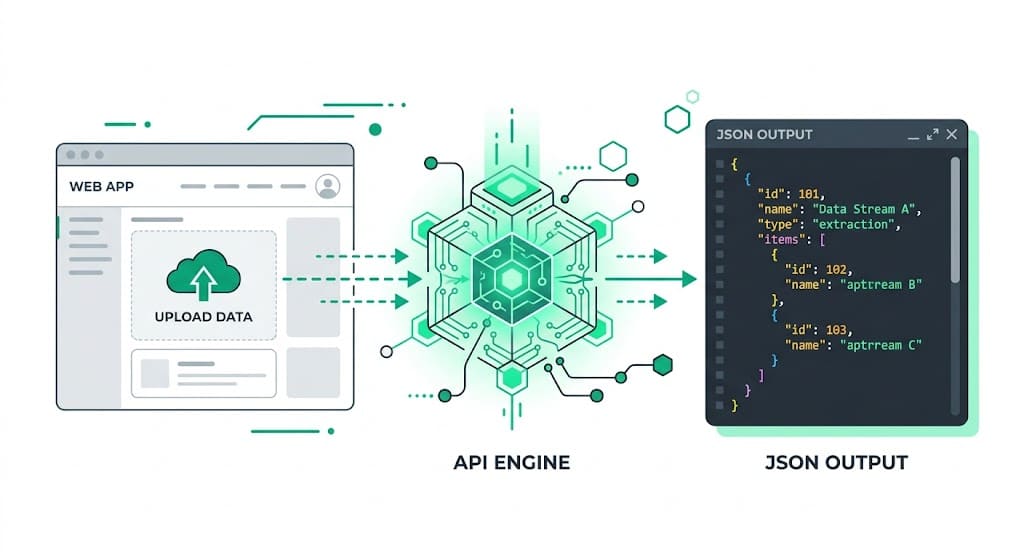
Why Cursor + StructOCR is a natural fit
Cursor generates incredibly accurate full-stack code using advanced AI models right in your IDE. It handles your UI components, state management, and routing automatically — but document parsing is still something the AI can't do natively. StructOCR fills exactly that gap: one API call, structured JSON back. Feed the prompt below into Cursor's Composer, and your receipt scanner app will be ready in seconds.
The problem: AI coding assistants can't read crumpled receipts
Tools like Cursor are remarkable at writing code — but they stop at the boundary of complex vision tasks. You can instruct Cursor to build a beautiful expense upload interface in minutes, yet the actual extraction of merchant names, purchased items, taxes, and totals from faded thermal paper requires a dedicated Receipt OCR API. Standard vision models routinely fail to format line items correctly or reliably parse numerical totals.
The solution: one API call, structured JSON
StructOCR's /v1/receipt endpoint accepts a photo and returns a clean JSON object with every field pre-labeled — no prompting, no parsing, no post-processing. Because it speaks plain HTTP, Cursor can easily generate the client or server-side fetch logic to wire it up instantly.
Integrate StructOCR using Cursor (3 Steps)
Open your project in Cursor and use Composer
Open your web or mobile project in cursor.com. Hit
Cmd+I(orCtrl+I) to open the Composer. Describe the receipt scanning UI you want to build.Try this prompt: "Build a modern receipt scanner UI component using shadcn. Users can upload a photo of a receipt and see the merchant name, date, time, and total amount extracted automatically in a clean card."Tell Cursor to call the StructOCR API
Once Cursor scaffolds the component, paste the follow-up prompt below. Cursor will write the fetch call, handle the form data, and wire the response to your state variables.
Follow-up prompt: "When a user uploads an image, Base64-encode it and send JSON { img: base64Image } to POST https://api.structocr.com/v1/receipt. Set x-api-key to my API key and Content-Type to application/json. Make the call from a server route so the API key is never exposed, then display the current response fields in the results panel."const base64Image = await fileToBase64(file); const response = await fetch('https://api.structocr.com/v1/receipt', { method: 'POST', headers: { 'x-api-key': process.env.STRUCTOCR_KEY, 'Content-Type': 'application/json', }, body: JSON.stringify({ img: base64Image }), });Add your StructOCR API key to your .env file
Open your local .env or .env.local file in Cursor and securely add your StructOCR key. Restart your development server to see the live scanner.
Variable name: STRUCTOCR_KEY — keep it server-side and get your free key at structocr.com/dashboardSTRUCTOCR_KEY=sk_live_xxxxxxxxxxxxxxxx
What you can build in Cursor with this integration
- Corporate expense tracker: Let employees snap photos of their lunch or travel receipts and automatically populate a reimbursement tracker. Perfect for building custom expense management automation workflows.
- Loyalty & rewards scanning: Build a consumer app where users upload grocery receipts to prove purchase of specific brands and earn reward points automatically.
- Personal budgeting dashboard: Create a financial tool that reads your daily coffee and retail receipts, categorizes the spending, and calculates monthly totals — all engineered seamlessly inside Cursor.
- Tax preparation assistant: Parse hundreds of receipts to separate tax amounts and deductible expenses without manual data entry.
The prompt and the code
Copy the follow-up prompt into Cursor's Composer (Cmd+I) to generate the integration. The code block shows the standard fetch logic Cursor will likely produce. The Receipt API has been upgraded and the endpoint remains unchanged; standard mode costs 1 credit, and `?accuracy=enhanced` costs 2 credits. Run this integration in a server route or server action so the API key is not shipped to the browser.
Prerequisite: A free StructOCR account — get your API key at structocr.com/dashboard (no credit card required)
I need to add receipt OCR to this app.

When a user uploads an image:
1. Convert the image to a Base64 string.
2. Send JSON { img: base64Image } to: POST https://api.structocr.com/v1/receipt
3. Include x-api-key: ${STRUCTOCR_KEY} and Content-Type: application/json.
4. Read the current response fields: response_version, merchant_name, date, time, total_amount, tax_amount, currency, items[], status, issues, confidence, is_valid, and validation_error.
5. Display the fields, show a loading state, and handle non-2xx errors.

Make the API call from a server route or server action and keep the API key in the server-side STRUCTOCR_KEY environment variable. Standard mode costs 1 credit; use ?accuracy=enhanced for enhanced processing at 2 credits.
What the API returns
Every field is labeled and typed. Your UI built via Cursor can bind this directly to components without any complex mapping overrides.
{
  "success": true,
  "data": {
    "response_version": 2,
    "is_valid": true,
    "confidence": "high",
    "merchant_name": "Blue Bottle Coffee",
    "date": "2026-04-22",
    "time": "08:45 AM",
    "currency": "USD",
    "total_amount": 14.5,
    "tax_amount": 1.25,
    "items": [
      {
        "name": "Caffe Latte - Large",
        "quantity": 2,
        "price": "11.00"
      },
      {
        "name": "Butter Croissant",
        "quantity": 1,
        "price": "3.50"
      }
    ],
    "validation_error": null,
    "status": "complete",
    "issues": []
  }
}
Technical Specs
- Formats accepted: PNG, JPG, WEBP — optimized for smartphone photos
- Response time: typically 1–2 seconds per receipt
- Condition handling: robust against crumpled paper, low lighting, and faded thermal ink
- Max file size: 20 MB per request
- Data validation: built-in checks to ensure total amounts match line-item sums
Key Features
- Structured output: every field is named and typed — no regex required
- Line items: individual products, quantities, and prices extracted as a clean array
- Tax and totals: separate `tax_amount` and `total_amount` fields, with unknown values returned as null
- Merchant detection: automatically identifies the store or restaurant name
- Global currencies: recognizes symbols and formats for USD, EUR, GBP, JPY, and more
Live Demo: Receipt scanner
No registration required. Upload a file to test the extraction.
Drop files here or click to browse
JPG · PNG · PDF · TIFF · up to 500 files · max 4.5 MB each
No document handy?
Frequently Asked Questions
Can Cursor generate the integration code for StructOCR?
Where should I store the StructOCR API key when building with Cursor?
Can it read crumpled or faded receipts?
How accurate is the receipt extraction?
Is there a free tier to test with?
Can I use this template format for other platforms?
More Tutorials
Add Container OCR using Cursor in 5 Minutes
Step-by-step guide to integrating the StructOCR shipping container API using the Cursor AI code editor. Build logistics and yard management tools rapidly.
Add Driver's License OCR using Cursor in 5 Minutes
Step-by-step guide to integrating the StructOCR Driver's License scanner API using the Cursor AI code editor. Build car rental and mobility onboarding flows rapidly.
Add HIN OCR using Cursor in 5 Minutes
Step-by-step guide to integrating the StructOCR HIN (Hull Identification Number) scanner API using the Cursor AI code editor. Build marine and boat management tools rapidly.
Add Invoice OCR using Cursor in 5 Minutes
Step-by-step guide to integrating the StructOCR invoice API using the Cursor AI code editor. Build accounts payable and expense tracking tools rapidly.
Ready to Build with StructOCR?
Get your API key in under a minute. New users receive 200 free credits to test Passport, VIN, License Plate, Container, Receipt, HIN, Driver License, ID Card, Vehicle Registration, Weighbridge Ticket, ATM Cassette and Invoice OCR APIs.
✓ No credit card required · ✓ Instant API key · ✓ Full API access