Add Invoice OCR to Your App using Cursor in 5 Minutes
Cursor's AI writes your boilerplate. StructOCR reads the invoices. Here's the exact prompt to feed into Cursor's Composer to wire them together — zero backend required.
Why Cursor + StructOCR is a natural fit
Cursor generates incredibly accurate full-stack code using advanced AI models right in your IDE. It handles your UI components, state management, and routing automatically — but document parsing is still something the AI can't do natively. StructOCR fills exactly that gap: one API call, structured JSON back. Feed the prompt below into Cursor's Composer, and your invoice scanner app will be ready in seconds.
The problem: AI coding assistants don't read documents
Tools like Cursor are remarkable at writing code — but they stop at the boundary of complex vision tasks. You can instruct Cursor to build a beautiful invoice upload interface in minutes, yet the actual extraction of vendor names, line items, totals, and dates still requires a dedicated Invoice OCR API. Most teams either skip this feature or spend days integrating a general-purpose vision model that returns unstructured text.
The solution: one API call, structured JSON
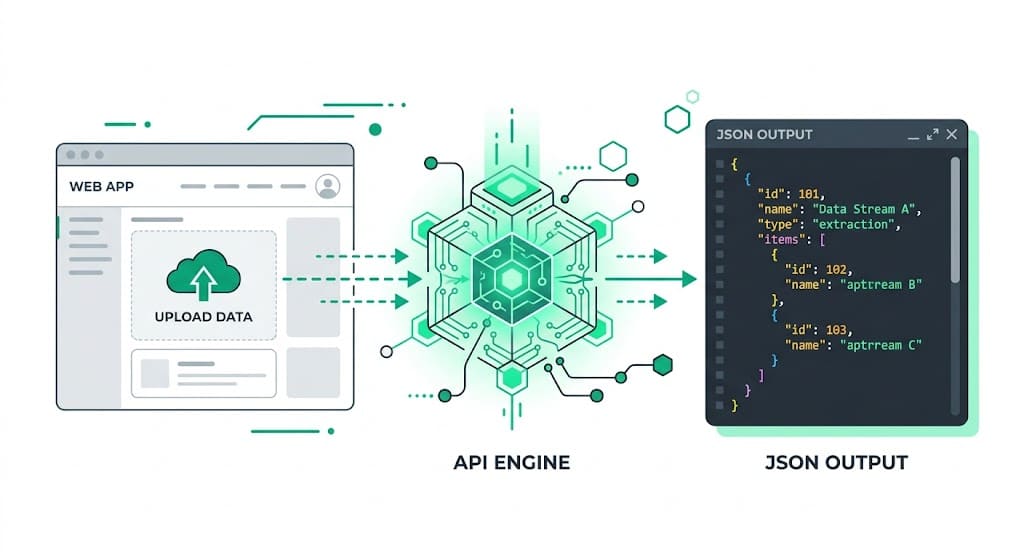
StructOCR's /v1/invoice endpoint accepts an image and returns a clean JSON object with every field pre-labeled — no prompting, no parsing, no post-processing. Because it speaks plain HTTP, Cursor can easily generate the client or server-side fetch logic to wire it up.
Integrate StructOCR using Cursor (3 Steps)
Open your project in Cursor and use Composer
Open your web or mobile project in cursor.com. Hit
Cmd+I(orCtrl+I) to open the Composer. Describe the invoice uploading UI you want to build.Try this prompt: "Build a modern invoice upload UI component using shadcn. Users can upload an invoice image and see the vendor name, invoice date, due date, and total amount extracted automatically in a clean card."Tell Cursor to call the StructOCR API
Once Cursor scaffolds the component, paste the follow-up prompt below. Cursor will write the fetch call, handle the form data, and wire the response to your state variables.
Follow-up prompt: "When a user uploads an image, send it as a multipart/form-data POST to https://api.structocr.com/v1/invoice with an Authorization header containing my API key. Display the returned JSON fields in the UI."// Cursor generates something like this in your frontend framework const response = await fetch('https://api.structocr.com/v1/invoice', { method: 'POST', headers: { Authorization: `Bearer ${process.env.NEXT_PUBLIC_STRUCTOCR_KEY}` }, body: formData, });Add your StructOCR API key to your .env file
Open your local .env or .env.local file in Cursor and securely add your StructOCR key. Restart your development server to see the live scanner.
Variable name: NEXT_PUBLIC_STRUCTOCR_KEY — get your free key at structocr.com/dashboardNEXT_PUBLIC_STRUCTOCR_KEY=sk_live_xxxxxxxxxxxxxxxx
What you can build in Cursor with this integration
- Accounts payable dashboard: Let your team upload supplier invoices and automatically populate a tracker with vendor, amount, and due date — no manual data entry. Perfect for building custom accounts payable automation workflows.
- Freelance invoice manager: Build a personal tool that reads your client invoices, calculates outstanding totals, and exports to CSV — all engineered seamlessly inside Cursor in under an hour.
- Expense approval workflow: Add an upload step to an approval flow: extract invoice details automatically and route for sign-off without any copy-pasting. This is the foundation of modern expense management automation.
- Multi-vendor price comparison: Parse invoices from multiple suppliers and compare line-item pricing side by side — a task that previously required a developer and a parsing library.
The prompt and the code
Copy the follow-up prompt into Cursor's Composer (Cmd+I) to generate the integration. The code block shows the standard fetch logic Cursor will likely produce.
Prerequisite: A free StructOCR account — get your API key at structocr.com/dashboard (no credit card required)
I need to add invoice OCR to this app.

When a user uploads an image:
1. Send it as multipart/form-data to: POST https://api.structocr.com/v1/invoice
2. Include the header: Authorization: Bearer ${NEXT_PUBLIC_STRUCTOCR_KEY}
3. The response is JSON with fields: vendor_name, invoice_date, due_date, total_amount, currency, line_items[]
4. Display each field in the results panel below the upload button
5. Show a loading spinner while the request is in flight
6. Show an error message if the upload fails

Use the environment variable NEXT_PUBLIC_STRUCTOCR_KEY for the API key.
What the API returns
Every field is labeled and typed. Your UI built via Cursor can bind this directly to components without any complex mapping overrides.
{
  "invoice_number": "INV-2024-0891",
  "vendor_name": "Acme Supplies Ltd.",
  "vendor_address": "123 Commerce St, Austin TX 78701",
  "invoice_date": "2024-11-14",
  "due_date": "2024-12-14",
  "currency": "USD",
  "subtotal": 2400,
  "tax": 192,
  "total_amount": 2592,
  "line_items": [
    {
      "description": "Widget Pro (12-pack)",
      "quantity": 4,
      "unit_price": 500,
      "amount": 2000
    },
    {
      "description": "Shipping & Handling",
      "quantity": 1,
      "unit_price": 400,
      "amount": 400
    }
  ],
  "confidence": 0.97
}
Technical Specs
- Formats accepted: PNG, JPG, WEBP — including scanned and photographed invoices
- Response time: typically 1–3 seconds per page
- Languages: English, Spanish, French, German, Chinese, Japanese, and 40+ more
- Max file size: 20 MB per request
- Confidence scores: each field includes an extraction confidence value
Key Features
- Structured output: every field is named and typed — no regex, no parsing
- Line items: products, quantities, unit prices, and subtotals extracted as an array
- Tax and discount: VAT, GST, and discount rows are detected and labeled separately
- Multi-page support: invoices spanning multiple pages are handled in a single call
- Works with photos: blurry or skewed smartphone photos are corrected automatically
Live Demo: Invoice extractor
No registration required. Upload a file to test the extraction.
Drop files here or click to browse
JPG · PNG · PDF · TIFF · up to 500 files · max 4.5 MB each
No document handy?
Frequently Asked Questions
Can Cursor generate the integration code for StructOCR?
Where should I store the StructOCR API key when building with Cursor?
Can I integrate this directly into full-stack frameworks with Cursor?
What invoice formats does StructOCR support?
How accurate is the invoice extraction?
Is there a free tier to test with?
Can I use this template format for other platforms?
What if my invoice is not in English?
More Tutorials
Add Container OCR using Cursor in 5 Minutes
Step-by-step guide to integrating the StructOCR shipping container API using the Cursor AI code editor. Build logistics and yard management tools rapidly.
Add Driver's License OCR using Cursor in 5 Minutes
Step-by-step guide to integrating the StructOCR Driver's License scanner API using the Cursor AI code editor. Build car rental and mobility onboarding flows rapidly.
Add HIN OCR using Cursor in 5 Minutes
Step-by-step guide to integrating the StructOCR HIN (Hull Identification Number) scanner API using the Cursor AI code editor. Build marine and boat management tools rapidly.
Add National ID OCR using Cursor in 5 Minutes
Step-by-step guide to integrating the StructOCR National ID scanner API using the Cursor AI code editor. Build KYC and identity verification flows rapidly.
Ready to Build with StructOCR?
Get your API key in under a minute. New users receive 200 free credits to test Passport, VIN, License Plate, Container, Receipt, HIN, Driver License, ID Card, Vehicle Registration, Weighbridge Ticket, ATM Cassette and Invoice OCR APIs.
✓ No credit card required · ✓ Instant API key · ✓ Full API access