Add Passport OCR to Your Replit App in 5 Minutes
Replit Agent scaffolds your full-stack application. StructOCR reads the MRZ lines. Here's the exact prompt and API call to wire them together using Replit Secrets for instant travel onboarding.
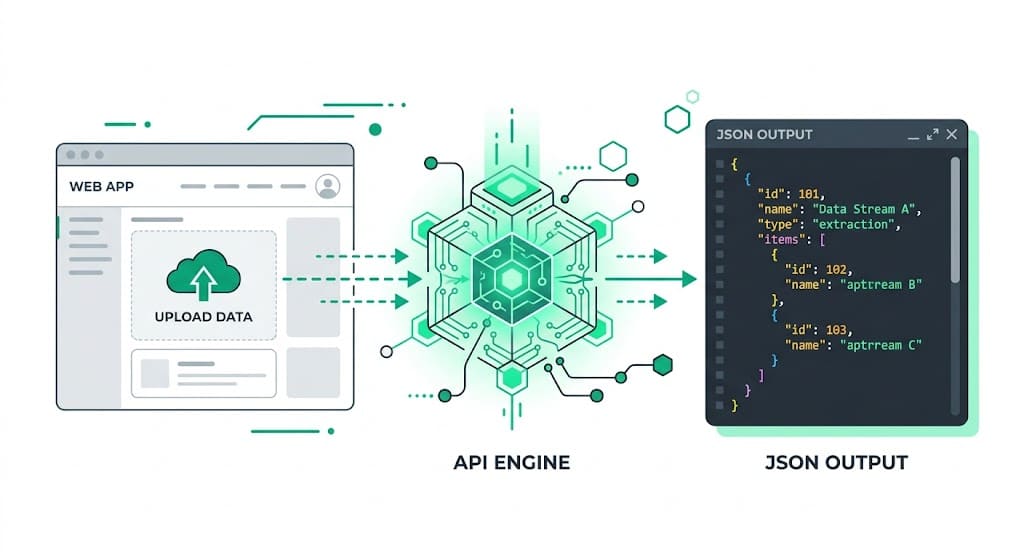
Why Replit + StructOCR is a natural fit for Travel Apps
Replit generates full-stack applications instantly from natural language using Replit Agent. It provisions the database, configures the server routes, and spins up frontend components seamlessly — but securely extracting a passport number, nationality, and expiry date from a glossy data page is something you need an explicit data pipeline to handle. StructOCR fills exactly that gap: one API call, structured JSON back. Tell Replit Agent what you want, paste in the fetch code below, and your cloud-hosted travel onboarding system is live.
The problem: Glossy pages and complex MRZ strings
Cloud-based AI environments like Replit are remarkable at writing boilerplates and orchestrating backend environments — but they stop at the boundary of specialized document parsing. You can deploy a sleek production tracking interface in seconds, yet the actual extraction of Machine Readable Zones (MRZ) and visual data from a highly reflective passport page requires a dedicated Passport OCR API. Standard vision models routinely fail on holograms, misread country codes, or output unformatted text blocks.
The solution: ICAO-compliant parsing, instantly
StructOCR's /v1/passport endpoint accepts an image stream and returns a clean, fully typed JSON object with the validated travel document fields. It automatically decodes the MRZ lines to cross-check the Visual Inspection Zone (VIZ) and validates the MRZ check digits on passport numbers and dates. Because it runs as a pure REST API, your Replit container can talk to it effortlessly via a zero-dependency server-side request.
Integrate StructOCR in Replit (3 Steps)
Describe your app to Replit Agent
Open replit.com and start a new workspace using Replit Agent. Describe the travel or KYC tool you want to build — be explicit about the identity fields you need to collect.
Try this prompt: "Build a mobile-friendly hotel check-in application using React and Node.js. Users can upload a photo of their passport data page, and the app will display the extracted full name, passport number, nationality, and expiry date in a clean dashboard workflow."Instruct the Agent to connect to the StructOCR endpoint
Once the foundational UI and backend scaffolding are ready, paste the follow-up prompt into the Agent chat panel. Replit Agent will generate the network logic, wire up file stream uploads, and pipe the extracted data safely to your view state.
Follow-up prompt: "When a user uploads an identity image, create a backend endpoint that accepts a Base64 img string and forwards it as JSON to https://api.structocr.com/v1/passport. Authenticate with the x-api-key header using process.env.STRUCTOCR_KEY. Return the JSON payload to the client UI."// Replit Agent wires this up inside your server handler const response = await fetch('https://api.structocr.com/v1/passport', { method: 'POST', headers: { 'Content-Type': 'application/json', 'x-api-key': process.env.STRUCTOCR_KEY, }, body: JSON.stringify({ img: base64Image }), });Add your StructOCR API key to Replit Secrets
Navigate to the Tools → Secrets menu in your Replit editor workspace sidebar. Add a new key named
STRUCTOCR_KEYand paste your private API token into the value field. The workspace environment automatically loads the variable.Variable name: STRUCTOCR_KEY — get your free key at structocr.com/dashboardKey: STRUCTOCR_KEY Value: sk_live_xxxxxxxxxxxxxxxx
What you can build in Replit with this integration
- Hotel & hospitality check-in: Let international guests snap a photo of their passport to instantly populate registration cards, speeding up front-desk operations. A perfect fit for travel automation hosted in cloud environments.
- Airline booking portals: Build a mobile portal where passengers upload their passports during online check-in to automatically capture API (Advance Passenger Information) data.
- Global KYC onboarding: Create a secure onboarding flow for fintech apps that accepts passports from 150+ countries, extracting structured names and birth dates instantly.
- Visa application assistants: Add an upload step to a travel agency portal: extract passport details automatically to pre-fill complex international visa application forms.
The prompt and the code
Copy the follow-up prompt text into your Replit Agent chat interface to implement the bridge handler. The backend example indicates how Replit typically handles file proxying to protect production secrets.
Prerequisite: A free StructOCR account — get your API key at structocr.com/dashboard (no credit card required)
I need to add Passport OCR to this application using a secure backend endpoint.

1. Configure Express to accept JSON requests with an appropriate payload limit.
2. The browser converts the selected image to Base64 and sends { img } to POST /api/verify-passport.
3. The backend must POST application/json to https://api.structocr.com/v1/passport with body { img }.
4. Authenticate upstream with the x-api-key header using process.env.STRUCTOCR_KEY. Never return or expose this secret to the browser.
5. Return the StructOCR JSON response and display data.passport_number, data.surname, data.given_names, data.nationality, and data.date_of_expiry.
6. Implement file-size, loading, upstream error, and invalid-response handling.
What the API returns
A comprehensive JSON object containing the parsed passport fields. Your application can bind this directly to database records or your frontend components.
{
  "success": true,
  "data": {
    "type": "passport",
    "country_code": "USA",
    "nationality": "UNITED STATES",
    "passport_number": "E12345678",
    "surname": "DOE",
    "given_names": "JOHN",
    "sex": "M",
    "date_of_birth": "1990-01-01",
    "place_of_birth": "NEW YORK, USA",
    "date_of_issue": "2020-01-01",
    "date_of_expiry": "2030-01-01",
    "place_of_issue": "PASSPORT AGENCY"
  }
}
Technical Specs
- Formats accepted: PNG, JPG, WEBP — optimized for smartphone and webcam photos
- Response time: typically 1–2 seconds per passport
- Condition handling: robust against glossy page glare, watermarks, and poor lighting
- Data Privacy: Images and results are kept for at most 24 hours for quality spot-checks, then deleted
- Global coverage: supports all ICAO Doc 9303 compliant passports globally
Key Features
- MRZ Cross-checking: automatically compares the extracted visual text against the machine-readable zone to ensure absolute accuracy
- Format validation: automatically verifies passport numbers and expiration dates against checksum rules
- Multi-angle support: reads passports held at skewed angles or taken in busy backgrounds
- Auto-cropping: automatically locates and crops the passport data page from the uploaded image
Live Demo: Passport scanner
No registration required. Upload a file to test the extraction.
Drop files here or click to browse
JPG · PNG · PDF · TIFF · up to 500 files · max 4.5 MB each
No document handy?
Frequently Asked Questions
Does StructOCR work inside a Replit environment?
Where should I store the API key within Replit?
Does StructOCR store the passport photos?
Can it read passports with heavy glare over the photo?
How can I test the accuracy before building?
Is there a free tier to test with?
More Tutorials
Add Container OCR to Your Replit App in 5 Minutes
Step-by-step guide to integrating the StructOCR shipping container API into a Replit application. Build logistics and yard management tools using Replit Agent and Secrets.
Add Driver's License OCR to Your Replit App in 5 Minutes
Step-by-step guide to integrating the StructOCR Driver's License scanner API into a Replit application. Build car rental and mobility onboarding flows using Replit Agent and Secrets.
Add HIN OCR to Your Replit App in 5 Minutes
Step-by-step guide to integrating the StructOCR HIN (Hull Identification Number) scanner API into a Replit application. Build marine and boat management tools using Replit Agent and Secrets.
Add Invoice OCR to Your Replit App in 5 Minutes
Step-by-step guide to integrating the StructOCR invoice API into a Replit application. Build accounts payable and expense tracking tools using Replit Agent and Secrets.
Ready to Build with StructOCR?
Get your API key in under a minute. New users receive 200 free credits to test Passport, VIN, License Plate, Container, Receipt, HIN, Driver License, ID Card, Vehicle Registration, Weighbridge Ticket, ATM Cassette and Invoice OCR APIs.
✓ No credit card required · ✓ Instant API key · ✓ Full API access