Add National ID OCR to Your Replit App in 5 Minutes
Replit Agent scaffolds your full-stack application. StructOCR reads the identity cards. Here's the exact prompt and API call to wire them together using Replit Secrets for instant KYC.
Why Replit + StructOCR is a natural fit for Identity Verification
Replit generates full-stack applications instantly from natural language using Replit Agent. It provisions the database, configures the server routes, and spins up frontend components seamlessly — but securely extracting names, birth dates, and MRZ codes from a laminated ID card photo is something you need an explicit data pipeline to handle. StructOCR fills exactly that gap: one API call, structured JSON back. Tell Replit Agent what you want, paste in the fetch code below, and your cloud-hosted driver verification system is live.
The problem: Standard AI hallucinates PII and fails on holograms
Cloud-based AI environments like Replit are remarkable at writing boilerplates and orchestrating backend environments — but they stop at the boundary of specialized document parsing. You can build a beautiful KYC upload interface in minutes, yet the actual extraction of names, document numbers, and MRZ lines from a laminated ID card requires a dedicated National ID OCR API. Standard vision models routinely misread security fonts, hallucinate personal data, or fail entirely on holographic overlays and glare.
The solution: Global ID parsing, instantly
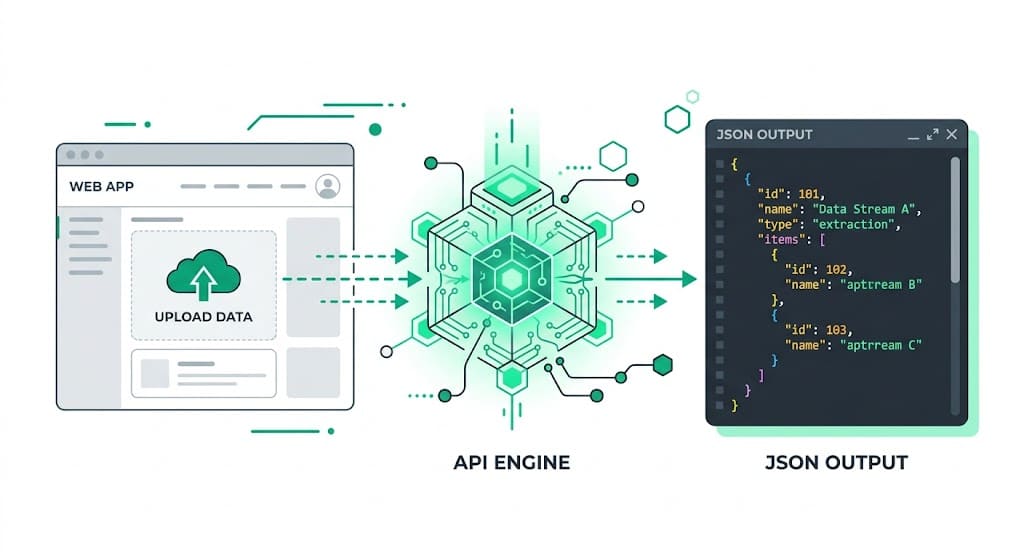
StructOCR's /v1/national-id endpoint accepts an image stream and returns a clean, fully typed JSON object with the validated identity fields. It automatically decodes Machine Readable Zones (MRZ) and handles complex, localized ID layouts. Because it runs as a pure REST API, your Replit container can talk to it effortlessly via a zero-dependency server-side request.
Integrate StructOCR in Replit (3 Steps)
Describe your app to Replit Agent
Open replit.com and start a new workspace using Replit Agent. Describe the identity verification tool you want to build — be explicit about the identity fields you need to collect.
Try this prompt: "Build a mobile-friendly KYC onboarding application using React and Node.js. Users can upload a photo of their National ID card, and the app will display the extracted full name, document number, date of birth, and address in a clean dashboard workflow."Instruct the Agent to connect to the StructOCR endpoint
Once the foundational UI and backend scaffolding are ready, paste the follow-up prompt into the Agent chat panel. Replit Agent will generate the network logic, wire up file stream uploads, and pipe the extracted data safely to your view state.
Follow-up prompt: "When a user uploads an identity image, create a backend endpoint that forwards it as a multipart/form-data POST request to https://api.structocr.com/v1/national-id. Authenticate using the bearer token stored in process.env.STRUCTOCR_KEY. Return the JSON payload back to the client UI."// Replit Agent wires this up inside your Express/Next server handler securely const response = await fetch('https://api.structocr.com/v1/national-id', { method: 'POST', headers: { Authorization: `Bearer ${process.env.STRUCTOCR_KEY}` }, body: formData, });Add your StructOCR API key to Replit Secrets
Navigate to the Tools → Secrets menu in your Replit editor workspace sidebar. Add a new key named
STRUCTOCR_KEYand paste your private API token into the value field. The workspace environment automatically loads the variable.Variable name: STRUCTOCR_KEY — get your free key at structocr.com/dashboardKey: STRUCTOCR_KEY Value: sk_live_xxxxxxxxxxxxxxxx
What you can build in Replit with this integration
- Fintech onboarding (KYC): Let users snap a photo of their ID to instantly populate sign-up forms without manual typing, drastically reducing drop-off rates in financial onboarding flows hosted in cloud environments.
- Gig economy driver signup: Build a cloud-hosted portal where contractors upload their ID cards for instant identity verification, a crucial step for mobility and delivery apps.
- Age verification gates: Create a tool that scans a user's ID, calculates their age based on the extracted `date_of_birth`, and conditionally grants access to age-restricted goods or services.
- Visitor management systems: Add an upload step to a corporate check-in flow: extract visitor details automatically from their national ID to print temporary badges in seconds.
The prompt and the code
Copy the follow-up prompt text into your Replit Agent chat interface to implement the bridge handler. The backend example indicates how Replit typically handles file proxying to protect production secrets.
Prerequisite: A free StructOCR account — get your API key at structocr.com/dashboard (no credit card required)
I need to add National ID OCR to this application using a secure backend endpoint.

When a file is uploaded to our express app:
1. Forward it as multipart/form-data to: POST https://api.structocr.com/v1/national-id
2. Include the header: Authorization: Bearer ${process.env.STRUCTOCR_KEY}
3. The response is JSON with fields: data.surname, data.given_names, data.document_number, data.date_of_birth, data.address
4. Pass this object to the client so it can display the identity records in a clean profile card layout
5. Implement loading sequences and file upload error traps.

Read the API token using process.env.STRUCTOCR_KEY.
What the API returns
A comprehensive JSON object containing both primary identity fields and specialized MRZ strings. Your application can bind this directly to database records or your frontend components.
{
  "success": true,
  "data": {
    "type": "national_id",
    "country_code": "ROU",
    "nationality": "ROMANA",
    "document_number": "123456",
    "card_series": "KS",
    "personal_number": "1920319123456",
    "surname": "POPESCU",
    "given_names": "ANDREI",
    "sex": "M",
    "date_of_birth": "1992-03-19",
    "place_of_birth": "Jud. CS Mun. Reșița",
    "address": "Jud. CS Orș. Bocșa Str. Nucilor Nr. 15",
    "date_of_issue": "2020-05-10",
    "date_of_expiry": "2030-05-10",
    "issuing_authority": "SPCLEP Bocșa",
    "additional_fields": {
      "phone_number": null,
      "tramite_number": null,
      "ejemplar": null,
      "mrz_line_1": "IDROU123456<0<<<<<<<<<<<<<<<<",
      "mrz_line_2": "9203195M3005108ROU19203191234562",
      "mrz_line_3": null
    }
  }
}
Technical Specs
- Formats accepted: PNG, JPG, WEBP — optimized for smartphone and webcam photos
- Response time: typically 1–2 seconds per ID
- Condition handling: robust against lamination glare, holographic overlays, and poor lighting
- Data Privacy: Images and results are kept for at most 24 hours for quality spot-checks, then deleted
- Global coverage: supports 150+ countries and thousands of localized card templates
Key Features
- MRZ Decoding: automatically extracts and validates data from the Machine Readable Zone (MRZ) if present
- Format validation: automatically verifies document numbers and personal identity numbers against regional checksum rules
- Multi-angle support: reads IDs held at skewed angles or taken in busy backgrounds
- Cross-referencing: compares the visual inspection zone (VIZ) against the MRZ for fraud detection
Live Demo: ID card scanner
No registration required. Upload a file to test the extraction.
Drop files here or click to browse
JPG · PNG · PDF · TIFF · up to 500 files · max 4.5 MB each
No document handy?
Frequently Asked Questions
Does StructOCR work inside a Replit environment?
Where should I store the API key within Replit?
Does StructOCR store the ID photos?
Can it read IDs with holograms and heavy glare?
How can I test the accuracy before building?
Is there a free tier to test with?
More Tutorials
Add Container OCR to Your Replit App in 5 Minutes
Step-by-step guide to integrating the StructOCR shipping container API into a Replit application. Build logistics and yard management tools using Replit Agent and Secrets.
Add Driver's License OCR to Your Replit App in 5 Minutes
Step-by-step guide to integrating the StructOCR Driver's License scanner API into a Replit application. Build car rental and mobility onboarding flows using Replit Agent and Secrets.
Add HIN OCR to Your Replit App in 5 Minutes
Step-by-step guide to integrating the StructOCR HIN (Hull Identification Number) scanner API into a Replit application. Build marine and boat management tools using Replit Agent and Secrets.
Add Invoice OCR to Your Replit App in 5 Minutes
Step-by-step guide to integrating the StructOCR invoice API into a Replit application. Build accounts payable and expense tracking tools using Replit Agent and Secrets.
Ready to Build with StructOCR?
Get your API key in under a minute. New users receive 200 free credits to test Passport, VIN, License Plate, Container, Receipt, HIN, Driver License, ID Card, Vehicle Registration, Weighbridge Ticket, ATM Cassette and Invoice OCR APIs.
✓ No credit card required · ✓ Instant API key · ✓ Full API access