Add VIN OCR to Your Lovable.dev App in 5 Minutes
Lovable builds your UI. StructOCR reads the windshields. Here's the exact prompt and API call to wire them together — no backend, no boilerplate.
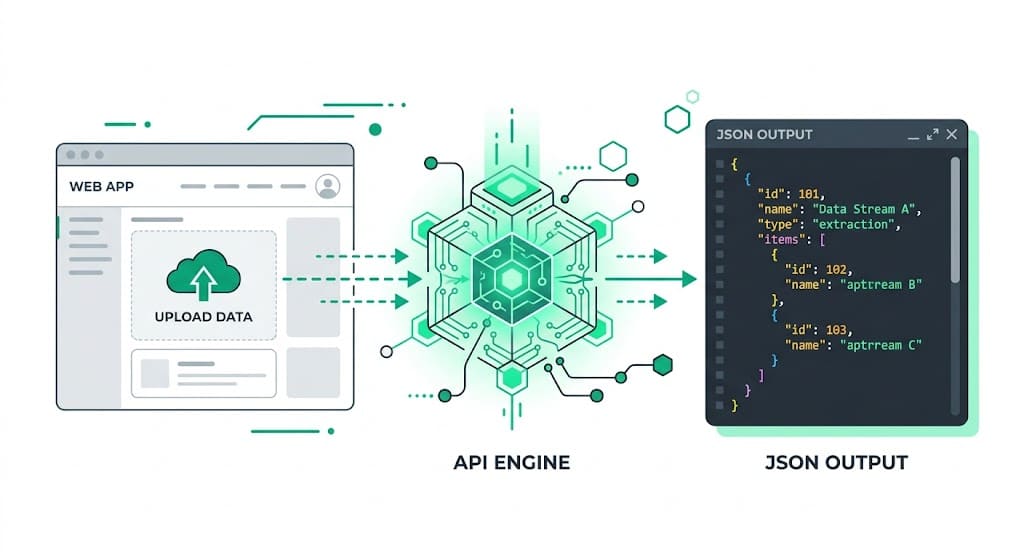
Why Lovable.dev + StructOCR is a natural fit for Automotive Apps
Lovable generates full-stack apps from plain English. It handles the UI, routing, and deployment automatically — but extracting a 17-character alphanumeric string through windshield glare is something you have to wire up yourself. StructOCR fills exactly that gap: one API call, structured JSON back. Tell Lovable what you want, paste in the fetch code below, and your auto app is ready.
The problem: Standard AI can't read through windshield glare
Tools like Lovable.dev are remarkable at generating apps — but they stop at the file boundary. You can build a beautiful fleet management interface in minutes, yet the actual extraction of a 17-character VIN from a reflective windshield or a scuffed door sticker requires a dedicated VIN OCR API. Standard vision models routinely confuse '8' with 'B' or '0' with 'O', which breaks downstream database lookups.
The solution: 17-character precision, instantly
StructOCR's /v1/vin endpoint accepts a photo and returns a clean JSON object with the validated VIN — bypassing glare, shadows, and bad angles. Because it speaks plain HTTP, Lovable can wire it up from a single fetch call. You describe what you want, and Lovable writes the code.
Integrate StructOCR in Lovable (3 Steps)
Create a Lovable project and describe your app
Open lovable.dev and start a new project. In the chat box, describe the automotive tool you want to build — be specific about the scanning interface.
Try this prompt: "Build a mobile-friendly VIN scanner app. Users can upload a photo of a car dashboard or door jamb, and the app will display the extracted 17-character VIN and confidence score."Tell Lovable to call the StructOCR API
Once Lovable scaffolds the UI, paste the follow-up prompt below. Lovable will write the fetch call, handle the file upload, and wire the response to your UI components.
Follow-up prompt: "When a user uploads an image, send it as a multipart/form-data POST to https://api.structocr.com/v1/vin with an Authorization header containing my API key. Display the returned JSON fields in the results panel."// Lovable generates something like this — you just supply the key const response = await fetch('https://api.structocr.com/v1/vin', { method: 'POST', headers: { Authorization: `Bearer ${import.meta.env.VITE_STRUCTOCR_KEY}` }, body: formData, });Add your StructOCR API key and publish
Go to Project Settings → Environment Variables in Lovable and add your StructOCR key. Then hit Publish. Your VIN scanner is live.
Variable name: VITE_STRUCTOCR_KEY — get your free key at structocr.com/dashboardVITE_STRUCTOCR_KEY=sk_live_xxxxxxxxxxxxxxxx
What you can build in Lovable with this integration
- Dealership intake app: Let salespeople snap a photo of a car's dashboard to instantly populate trade-in appraisal forms without typing out 17 characters manually. A core feature of dealership automation.
- Fleet management tracker: Build a mobile app for drivers to scan their assigned vehicle's VIN at the start of a shift to log out the asset.
- Mobile mechanic diagnostics: Create a tool where mechanics scan a door jamb sticker to automatically fetch the vehicle's year, make, model, and engine specs.
- Auto insurance claims: Add an upload step to a self-service claims flow: extract the VIN automatically from the policyholder's photos to verify the insured vehicle.
The prompt and the code
Copy the Lovable prompt into your project chat to generate the integration. The JavaScript tab shows what Lovable produces — useful if you want to verify or customize it.
Prerequisite: A free StructOCR account — get your API key at structocr.com/dashboard (no credit card required)
I need to add VIN OCR to this app.

When a user uploads an image:
1. Send it as multipart/form-data to: POST https://api.structocr.com/v1/vin
2. Include the header: Authorization: Bearer ${VITE_STRUCTOCR_KEY}
3. The response is JSON with fields: data.vin, data.confidence, data.carrier_type
4. Display the extracted VIN in a large, clear font
5. Show a loading spinner while the request is in flight
6. Show an error message if the upload fails

Use the environment variable VITE_STRUCTOCR_KEY for the API key.
What the API returns
A lightweight, direct JSON response. Your Lovable app can bind this directly to the UI.
{
  "success": true,
  "data": {
    "vin": "1M8GDM9A6KP042788",
    "confidence": "High",
    "carrier_type": "windshield"
  }
}
Technical Specs
- Formats accepted: PNG, JPG, WEBP — optimized for mobile phone cameras
- Response time: typically under 1 second
- Condition handling: robust against windshield glare, shadows, and damaged door stickers
- Algorithm checks: built-in checksum validation to prevent 0/O and 8/B confusion
- Carrier detection: automatically identifies if the VIN is on a windshield, door jamb, or document
Key Features
- Format validation: automatically verifies the VIN against standard WMI and VDS checksum rules
- Context awareness: isolates the VIN even when surrounded by barcodes or other manufacturing text
- Edge computing ready: lightweight API payload designed for fast mobile app connectivity
- Multi-angle support: reads VINs skewed or taken from extreme angles through the glass
Live Demo: VIN Barcode Scanner
No registration required. Upload a file to test the extraction.
Drop files here or click to browse
JPG · PNG · PDF · TIFF · up to 500 files · max 4.5 MB each
Photograph the VIN plate at the bottom of the windshield or the label on the driver-side door jamb.
No document handy?
Frequently Asked Questions
Does StructOCR work inside a Lovable.dev app?
Where should I store the StructOCR API key in Lovable?
Can it read VINs through extreme windshield glare?
Does the API prevent confusing similar characters like 'B' and '8'?
How can I test the accuracy before building?
Is there a free tier to test with?
More Tutorials
Add Container OCR to Your Lovable.dev App in 5 Minutes
Step-by-step guide to integrating the StructOCR shipping container API into a Lovable.dev app. Build logistics and yard management tools with zero backend.
Add Driver's License OCR to Your Lovable.dev App in 5 Minutes
Step-by-step guide to integrating the StructOCR Driver's License scanner API into a Lovable.dev app. Build car rental and mobility onboarding flows with zero backend.
Add HIN OCR to Your Lovable.dev App in 5 Minutes
Step-by-step guide to integrating the StructOCR HIN (Hull Identification Number) scanner API into a Lovable.dev app. Build marine and boat management tools with zero backend required.
Add Invoice OCR to Your Lovable.dev App in 5 Minutes
Step-by-step guide to integrating the StructOCR invoice API into a Lovable.dev app. No backend required — just paste a prompt and add your API key.
Ready to Build with StructOCR?
Get your API key in under a minute. New users receive 200 free credits to test Passport, VIN, License Plate, Container, Receipt, HIN, Driver License, ID Card, Vehicle Registration, Weighbridge Ticket, ATM Cassette and Invoice OCR APIs.
✓ No credit card required · ✓ Instant API key · ✓ Full API access