Add VIN OCR to Your Bolt.new App in 5 Minutes
Bolt.new scaffolds your full-stack UI. StructOCR reads the windshields. Here's the exact prompt and API call to wire them together — right in your browser.
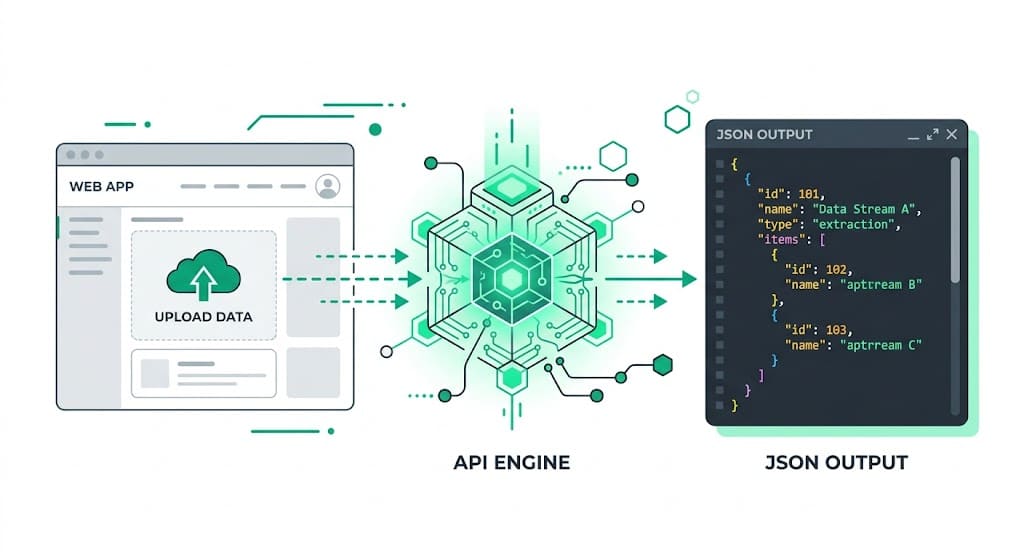
Why Bolt.new + StructOCR is a natural fit for Automotive Apps
Bolt.new generates and runs full-stack web applications directly in your browser. It handles the UI, components, and package management automatically — but extracting a 17-character alphanumeric string through windshield glare is something you have to wire up yourself. StructOCR fills exactly that gap: one API call, structured JSON back. Tell Bolt what you want, paste in the fetch code below, and your auto app is ready.
The problem: Standard AI can't read through windshield glare
Tools like Bolt.new are remarkable at generating apps instantly — but they stop at the file boundary. You can build a beautiful fleet management interface in minutes, yet the actual extraction of a 17-character VIN from a reflective windshield or a scuffed door sticker requires a dedicated VIN OCR API. Standard vision models routinely confuse '8' with 'B' or '0' with 'O', which breaks downstream database lookups.
The solution: 17-character precision, instantly
StructOCR's /v1/vin endpoint accepts a photo and returns a clean JSON object with the validated VIN — bypassing glare, shadows, and bad angles. Because it speaks plain HTTP, Bolt.new can wire it up from a single fetch call without heavy backend dependencies.
Integrate StructOCR in Bolt.new (3 Steps)
Create a Bolt.new project and describe your app
Open bolt.new and start a new prompt. Describe the automotive tool you want to build — be specific about the scanning interface.
Try this prompt: "Build a mobile-friendly VIN scanner app. Users can upload a photo of a car dashboard or door jamb, and the app will display the extracted 17-character VIN and confidence score."Tell Bolt to call the StructOCR API
Once Bolt scaffolds the UI, paste the follow-up prompt below. Bolt will write the fetch call, handle the file upload, and wire the response to your UI components in its in-browser editor.
Follow-up prompt: "When a user uploads an image, send it as a multipart/form-data POST to https://api.structocr.com/v1/vin with an Authorization header containing my API key. Display the returned JSON fields in the results panel."// Bolt generates something like this — you just supply the key in .env const response = await fetch('https://api.structocr.com/v1/vin', { method: 'POST', headers: { Authorization: `Bearer ${import.meta.env.VITE_STRUCTOCR_KEY}` }, body: formData, });Add your StructOCR API key to your environment
In the Bolt.new file explorer, create or open the .env file to securely add your StructOCR key. The app will automatically reload with your live scanner.
Variable name: VITE_STRUCTOCR_KEY — get your free key at structocr.com/dashboardVITE_STRUCTOCR_KEY=sk_live_xxxxxxxxxxxxxxxx
What you can build in Bolt.new with this integration
- Dealership intake app: Let salespeople snap a photo of a car's dashboard to instantly populate trade-in appraisal forms without typing out 17 characters manually. A core feature of dealership automation.
- Fleet management tracker: Build a mobile app for drivers to scan their assigned vehicle's VIN at the start of a shift to log out the asset.
- Mobile mechanic diagnostics: Create a tool where mechanics scan a door jamb sticker to automatically fetch the vehicle's year, make, model, and engine specs.
- Auto insurance claims: Add an upload step to a self-service claims flow: extract the VIN automatically from the policyholder's photos to verify the insured vehicle.
The prompt and the code
Copy the follow-up prompt into your Bolt.new chat to generate the integration. The code block shows what Bolt typically produces — useful if you want to verify or tweak it.
Prerequisite: A free StructOCR account — get your API key at structocr.com/dashboard (no credit card required)
I need to add VIN OCR to this app.

When a user uploads an image:
1. Send it as multipart/form-data to: POST https://api.structocr.com/v1/vin
2. Include the header: Authorization: Bearer ${VITE_STRUCTOCR_KEY}
3. The response is JSON with fields: data.vin, data.confidence, data.carrier_type
4. Display the extracted VIN in a large, clear font
5. Show a loading spinner while the request is in flight
6. Show an error message if the upload fails

Use the environment variable VITE_STRUCTOCR_KEY for the API key.
What the API returns
A lightweight, direct JSON response. Your Bolt.new app can bind this directly to the UI components.
{
  "success": true,
  "data": {
    "vin": "1M8GDM9A6KP042788",
    "confidence": "High",
    "carrier_type": "windshield"
  }
}
Technical Specs
- Formats accepted: PNG, JPG, WEBP — optimized for mobile phone cameras
- Response time: typically under 1 second
- Condition handling: robust against windshield glare, shadows, and damaged door stickers
- Algorithm checks: built-in checksum validation to prevent 0/O and 8/B confusion
- Carrier detection: automatically identifies if the VIN is on a windshield, door jamb, or document
Key Features
- Format validation: automatically verifies the VIN against standard WMI and VDS checksum rules
- Context awareness: isolates the VIN even when surrounded by barcodes or other manufacturing text
- Edge computing ready: lightweight API payload designed for fast mobile app connectivity
- Multi-angle support: reads VINs skewed or taken from extreme angles through the glass
Live Demo: VIN Barcode Scanner
No registration required. Upload a file to test the extraction.
Drop files here or click to browse
JPG · PNG · PDF · TIFF · up to 500 files · max 4.5 MB each
Photograph the VIN plate at the bottom of the windshield or the label on the driver-side door jamb.
No document handy?
Frequently Asked Questions
Does StructOCR work inside a Bolt.new app?
Where should I store the StructOCR API key in Bolt.new?
Can it read VINs through extreme windshield glare?
Does the API prevent confusing similar characters like 'B' and '8'?
How can I test the accuracy before building?
Is there a free tier to test with?
More Tutorials
Add Container OCR to Your Bolt.new App in 5 Minutes
Step-by-step guide to integrating the StructOCR shipping container API into a Bolt.new app. Build logistics and yard management tools right in your browser.
Add Driver's License OCR to Your Bolt.new App in 5 Minutes
Step-by-step guide to integrating the StructOCR Driver's License scanner API into a Bolt.new app. Build car rental and mobility onboarding flows right in your browser.
Add HIN OCR to Your Bolt.new App in 5 Minutes
Step-by-step guide to integrating the StructOCR HIN (Hull Identification Number) scanner API into a Bolt.new app. Build marine and boat management tools right in your browser.
Add National ID OCR to Your Bolt.new App in 5 Minutes
Step-by-step guide to integrating the StructOCR National ID scanner API into a Bolt.new app. Build KYC and identity verification flows right in your browser.
Ready to Build with StructOCR?
Get your API key in under a minute. New users receive 200 free credits to test Passport, VIN, License Plate, Container, Receipt, HIN, Driver License, ID Card, Vehicle Registration, Weighbridge Ticket, ATM Cassette and Invoice OCR APIs.
✓ No credit card required · ✓ Instant API key · ✓ Full API access